

So, you have a great WooCommerce store, and now you want the easiest way to accept payments with minimal work on the part of your customers? Enter Stripe, the payment gateway that will give your customers a fast, secure, and comfortable payment experience. But here’s the catch: WooCommerce doesn’t play nice with Stripe out of the box. You need a solid WooCommerce Stripe plugin to make the magic happen.
Lucky for you, we did the research and we have found 5 of the best Stripe plugins for WooCommerce that will help you create a frictionless checkout experience. There are plugins that offer one-click payments, subscriptions, and even local payment methods that are available with one of these plugins. No tech headaches, no confusing setups, just seamless transactions and happy customers.
1. WooCommerce Stripe Payment Gateway by WooCommerce
Alright, so you want to take payments on your WooStore with Stripe? The WooCommerce Stripe Payment Gateway is basically your best buddy for this. It hooks WooCommerce and Stripe together perfectly, right out of the box.
It lets customers pay how they want, using things like Apple Pay or Google Pay with just a tap on their phone. This WooCommerce Stripe plugin also handles all the popular “buy now, pay later” options like Klarna or Afterpay and loads of local payment methods from around the world. This means fewer people giving up at checkout because their favorite way to pay was there.
Worried about fraud? WooCommerce Stripe plugin has a built-in Radar tool that is like your personal security guard, using smart tech to spot and stop shady payments before they happen.
Additionally, the WooCommerce Stripe Payment Gateway plugin works hand-in-hand with WooCommerce Subscriptions for smooth recurring payments. Plus, if you ever sell stuff in person, you can even connect Stripe card readers like Terminal to take payments offline too.

Some Features of Woocommerce Stripe Payment Gateway plugin are:
- Multiple Payment Options – Accept credit cards plus popular methods like Apple Pay, Google Pay, Klarna, Afterpay, and even local favorites like iDEAL or Bancontact with this powerful WooCommerce Stripe plugin.
- Built-in Fraud Protection – Stripe’s Radar tool automatically spots and blocks suspicious payments. It quietly handles security, keeping your store safe while you stay hands-free.
- Sell Online or In-Person – Whether you’re at a market or with a client, you can accept payments on the spot using a Stripe card reader or Tap to Pay on your phone. This WooCommerce payment plugin gives you flexibility for both online and offline sales.
- Easy Subscription Payments – If you offer subscriptions or recurring products, this plugin works smoothly with WooCommerce Subscriptions. Customers sign up once, and future payments happen automatically, no extra work needed.
Pros:
- This WooCommerce plugin supports a wide range of payment options including credit cards, Apple Pay, Google Pay, Klarna, and popular local methods.
- You can take payments online, in-person, or on your phone with this reliable WooCommerce Stripe plugin.
- WooCommerce Stripe Payment Gateway has quick setup means, just link your Stripe account, tweak a few settings, and you’re ready to accept payments.
- Provides Built-In Security with the help of Stripe Radar.
Con:
- Stripe charges a transaction fee on every sale. The plugin is free, but you’ll need to include Stripe’s transaction fees in your pricing.
Pricing – You can get started with the free version of this plugin.
2. Stripe for WooCommerce by Payment Plugins
Looking for an easy way to accept payments on your WooCommerce store? Stripe for WooCommerce makes accepting payments a breeze. Just install, connect your Stripe account, and boom, you’re ready to take credit cards, Apple Pay, Google Pay, and you even get “buy now, pay later” options like Afterpay.
What’s cool? This WooCommerce payment plugin works with all your store features like subscriptions, pre-orders, or whatever you’re selling. Plus, it plays nice with WooCommerce Blocks, so your checkout stays smooth no matter how you build your store. If your customers prefer quick, contactless payments, this plugin delivers a smooth tap-to-pay experience. Apple Pay feels seamless on iPhones, while Google Pay shows up instantly on Android and Chrome browsers.
When you need custom payment flows, or any advanced features outside of what the standard plugin provides, you can always look for WooCommerce Plugin Development Services professionals to customize the integration exactly how you want.

Some key features of WooCommerce payment plugin are:
- One-Tap Checkout – Let customers pay in seconds with Apple Pay and Google Pay. No typing needed, just tap to pay and it’s done. It’s quick, easy, and helps cut down on abandoned carts.
- Flexible Payment Options – Give shoppers the freedom to choose Afterpay, ACH payments, or other “buy now, pay later” methods with this WooCommerce payment plugin.
- Works Seamlessly with WooCommerce – This plugin plays well with Subscriptions, Pre-Orders, and Blocks. No glitches, no tricky setups, just install it and let it handle payments smoothly.
- Extra Layer of Security – With built-in support for 3D Secure 2.0, you get better fraud protection without making checkout harder for genuine customers.
Pros:
- Easy setup with this WooCommerce Stripe Payment Gateway connects Stripe in minutes.
- More Payment Choices – From cards to digital wallets, customers pay how they want.
- Works smoothly with WooCommerce’s core features without surprises.
Con:
- Free Version Has Limits – The basic plugin is great, but if you need advanced stuff like saved cards for subscriptions, you might need the paid version.
Pricing – This WooCommerce Stripe plugin comes with a free version to get you started.
Looking for a custom Stripe payment setup for your WooCommerce store?
Hire WooCommerce Plugin Developers today!3. WebToffee’s Stripe plugin for WooCommerce
Tired of complicated payment setups? This WooCommerce stripe plugin by WebToffee takes the headache out by accepting payments on your WooCommerce store. You simply install the plugin, connect your account and start taking credit/debit cards like Visa, Mastercard, Amex, etc. immediately.
The best part? Managing payments is stupid simple. This WebToffee plugin gives you a clean dashboard where you can see all your Stripe transactions in one place. Refunds and delayed payments? Just one click,fast and effortless.
Furthermore, your customers can pay how they want. Apple Pay, Google Pay, Afterpay, Klarna, and even local favorites like iDEAL or Alipay are all supported by this Stripe plugin for WooCommerce.
If you want a Stripe plugin for WooCommerce that just works without overcomplicating things, this WebToffee plugin is a solid pick. Quick setup, smooth checkout, and no surprises exactly what a busy store owner needs.
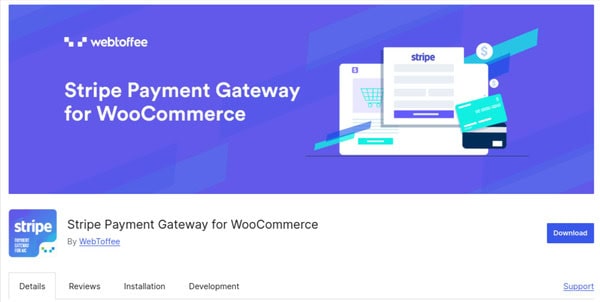
Notable features of plugin are:
- Link payment method – Let your customers save and link their payment methods for faster checkouts next time.
- Multiple payment methods in Stripe checkout – Offer multiple payment options like cards, wallets, and more, all handled right through Stripe Checkout.
- Timely compatibility updates and bug fixes – This WebToffee plugin keeps your store running smoothly by giving you regular updates.
- Stripe Checkout Simplified – Use Stripe’s secure hosted checkout page that takes care of payments, including 3D Secure checks, no extra setup, no fraud worries.
- All-in-One Dashboard Access – This WebToffee plugin manages payments, captures orders, and issues refunds right from your dashboard. No need to log into Stripe separately.
Pros:
- No Payment Left Behind – This WebToffee plugin supports everything from cards to buy-now-pay-later options.
- Handles Subscriptions Like a Pro – Run memberships or recurring orders with ease. Stripe takes care of automatic billing without issues.
- Super Secure – Strong Customer Authentication is ready and 3D Secure built in, so fraudsters get blocked.
- It has time-saving tools that handle refunds, captures, and receipts straight from your dashboard.
- Globally Friendly – It works with local payment methods across 47+ countries.
Con:
- Premium for the Good Stuff – The free version covers basics, but subscriptions and advanced features need the paid upgrade.
Pricing – This plugin is available in a free version, and its pro version starts from $59 annually for one site.
4. WP Simple Pay
Want to collect payments on WordPress without setting up an entire store? WP Simple Pay is your answer. This lightweight WooCommerce Stripe plugin is perfect when you want to skip the cart and start taking Stripe payments right away.
The best part? Use their pre-built templates, modify them to suit your purposes, and you can quickly insert your pricing options, donation amounts, or any other set prices for subscriptions.
If you need a simple checkout page, a payment button in a blog post, or the ability to make quick payments from anywhere on your site, simply use this WooCommerce Stripe plugin! It’s perfect for service businesses, donations, event tickets, or selling digital products without the overhead of a full online store.
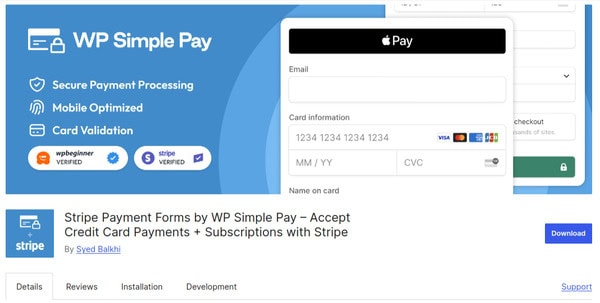
Key features of this plugin are:
- Skip the Cart with Simple Payment Forms – Create quick payment forms and start accepting payments right away which is perfect for donations, services, or single-product sales.
- Set Up Recurring Payments Easily – With this WooCommerce Stripe plugin you can offer subscriptions or repeat payments in just a few clicks; ideal for memberships, SaaS, or even regular coffee deliveries.
- Build Forms with Drag & Drop – WP Simple Pay helps you customize your payment forms with dropdowns, checkboxes, or any field you need.
- Secure Payments with Stripe – All transactions are handled by Stripe’s secure system. Your customer data stays safe, with built-in fraud protection.
- Kickstart your setup with ready-to-use templates – Choose a ready-made template, make a few changes, and you’re good to go!
Pros:
- Simple Setup – Connect Stripe and start taking payments in minutes.
- Works Anywhere – You can embed forms in posts, pages, or even popups; no redirects.
- Provides automated subscriptions without lifting a finger.
- Easy for Anyone – You don’t need tech skills to create great payment forms.
Con:
- Limited Free Version – The free plugin covers basics, but subscriptions and advanced features need the Pro upgrade.
Pricing – WP Simple Pay is pricing starts from $49.50/year.
5. YITH WooCommerce Stripe
Want an easy way to accept credit cards and Stripe payments? YITH WooCommerce Stripe makes it easy. Whether your customers want to type their card details, use Stripe’s slick checkout page, or save their info for faster buys next time this plugin handles it all.
Worried about fraud? Don’t worry, now you can add extra security checks, block shady buyers, and even let returning customers reuse their saved cards (so they don’t bail at checkout). Selling subscriptions or repeat orders? This WooCommerce Stripe plugin handles recurring payments automatically, so your revenue keeps rolling in without the extra work.
Bottom line? Fewer abandoned carts, happier customers, and way less headache for you. If you want Stripe to just work inside WooCommerce without the techy drama this one’s a solid pick.
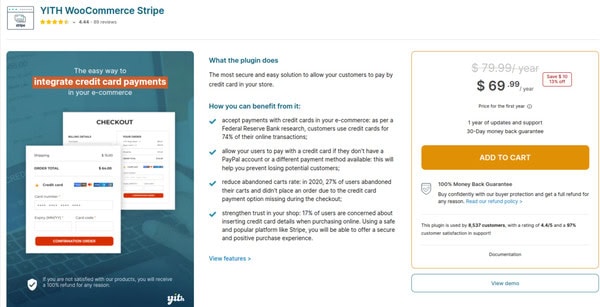
Some key features of this plugin are:
- Enable Recurring Payments with Ease – Add credit card payments with YITH WooCommerce Stripe to meet customer expectations and increase conversions.
- Smart Fraud Protection – Keep your store safe with fraud detection tools, extra security checks, and even a blacklist for repeat failed payments.
- Recurring Payments Made Simple – Selling subscriptions or memberships? Set up recurring payments that charge customers automatically, no need to follow up or manage manually.
- Saved Cards for Quick Checkout – Make life easier for your regular customers by letting them save their card details. Faster checkouts mean happier buyers and more repeat orders.
Pros:
- This plugin works seamlessly with WooCommerce, so customers never leave your site.
- Grows with Your Business – Handles one-time sales, subscriptions, and everything in between.
- Less Fraud, More Peace – Built-in tools to block sketchy transactions before they happen.
Cons:
- Premium for the Good Stuff – The free version covers basics, but subscriptions and advanced fraud tools need the paid upgrade.
Pricing – This plugin is priced at $ 69.99/ year.
Wrapping Up!
Let’s be real, all these Woocommerce Payment plugins get the job done, but each shines in its own way. The official WooCommerce Stripe Gateway is your safe bet, especially if you want that “it just works” reliability straight from the WooCommerce team. Meanwhile,Stripe for WooCommerce by Payment Plugin keeps things refreshingly simple when you just need basic payments without any extra fluff.
For stores with international customers, WebToffee Stripe Plugin stands out by supporting all those local payment methods that make global buyers feel at home. On the flip side, WP Simple Pay is the secret weapon for businesses that don’t need a full shopping cart, think service providers or donation-based sites.
And let’s not forget YITH WooCommerce Stripe, it’s like having a security guard for your payments, with those extra fraud protection features that bigger stores will appreciate.