

As an online store owner, we know your website is more than a website; it is your entire business.. Whether you are considering product pages or checkout paths, every single pixel matters to take your visitors and convert them into customers. But with thousands and thousands of themes available, how do you find the one that works for your brand, supports eCommerce capability, provides performance for your brand, offers eCommerce features, and delivers authenticity??
A good theme builder must be fast, mobile-friendly, easy to customize, and built to achieve your business goals. This post will outline what to look for and share some of the best free WordPress theme builders designed to help your store grow, sell, and scale.
1. Oxygen Theme Builder
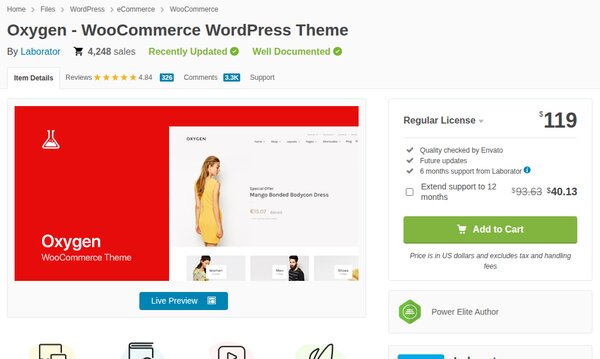
Oxygen Theme Builder is a powerful visual WordPress Theme builder created specifically for eCommerce.The theme options panel offers many collective options for customizing the theme’s look and feel. The code it produces is clear and lightweight, and will only increase the site’s speed and SEO. Oxygen is a more technically performance-focused plugin for developers.
Oxygen produces clean, lightweight code that helps speed and SEO. Furthermore, the builder has custom fields and supports dynamic content providing global stylists, re-useable components, and flexible layouts. Because of this, Oxygen theme builder is a strong candidate in the world of advanced WordPress template builder plugins and a viable decision for anyone needing a complete theme builder for WordPress experience.
Key Features:
- Theme Replacer: Oxygen will deactivate your existing active theme builder for WordPress and act as a full site builder, giving total control of your layout and site’s structure.
- Advanced Visual Builder: You can build pages and layouts using a drag-and-drop feature that is flexible with elements (sections, divs, columns, etc.)
- Class-based style control: You can add global styling using classes which will give you an organized, efficient, and scalable control over the design of your site.
- Interactive Data: Oxygen works well with ACF, Toolset, WooCommerce, and other data-facilitating custom theme builders for WordPress and complicated layouts.
Pros:
- You can launch faster using pre-built templates and layout components.
- Mass styling control, you can control your fonts, colors, and layouts across your entire website for branding consistency.
Cons:
- Not beginner-friendly, more technical than most visual builders.
- Only pro version is available, no free version to try it out.
- You can’t easily switch to another builder without redoing parts of your site like headers, footers, templates, and custom layouts from scratch.
Pricing: Oxygen offers lifetime pricing starting at $129 for unlimited sites.
2. Elementor Pro
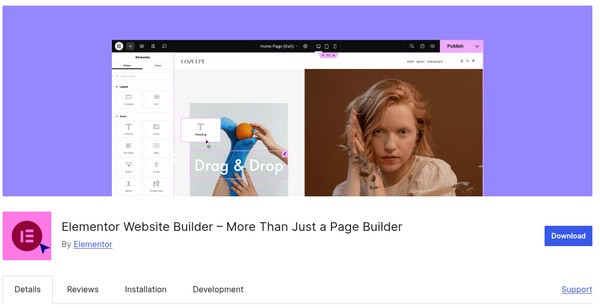
Elementor Pro is the most popular WordPress theme builder, enabling both page and complete theme building through a visual drag-and-drop interface. The plugin allows you to visually build headers, footers, single posts, and archive pages code-free.
Elementor Pro also includes hundreds of designer-made templates, dynamic content support, WooCommerce builder, and form builder integrations, making it ideal for professionals who want control and speed, as well as beginners who want simplicity. If you’re after a powerful theme builder for WordPress with a low learning curve, Elementor Pro is one of the top choices across the board.
For advanced tweaks or a fully custom theme aligned with your brand, consider hiring experienced WordPress theme developers.
Key Features:
- Full Theme Builder: This plugin allows you to customise headers, footers, single post templates, archive pages, WooCommerce pages, and anything else.
- Drag and drop design: You can create anything visually in real-time with absolutely no coding
- Pre-built WordPress templates & blocks: This plugin has many pre-made blocks and templates.
- Dynamic content features: Elementor Pro works with dynamic content and custom fields (ACF, Pods, Toolset).
Pros:
- Beginner-friendly, loads of tutorials, and a thriving support community to get any user started.
- You have any built-in widgets and hundreds of thousands of third-party add-ons
- Completely custom pixel-perfect designs, with responsive editing and motion effects, and comes with a free version.
Cons:
- Can do poorly with page speed, especially with many widgets.
- Creates conflicts if you’re using a theme that has its own page builder.
Pricing: The price for Elementor Pro starts from $59/year for a single-site license.
Finding it Difficult to choose the right WordPress theme builder for your site?
Explore WordPress Theme Development Services!3. Thrive Theme Builder
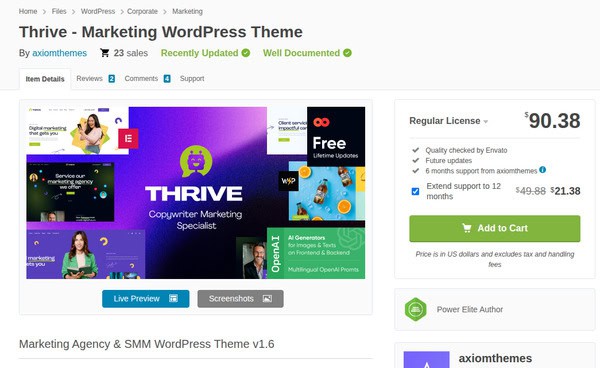
Thrive Theme Builder is a visual WordPress theme builder designed specifically for marketers, bloggers, and small business owners. It leverages a theme framework along with the community of powerful conversion-centered tools from Thrive to allow people to create and modify all components of their site without code. With drag-and-drop editing, built-in lead generation tools, and seamless integration with Thrive Suite, it’s built to help marketers quickly create high-converting sites without hassle.
Thrive offers a top-notch WordPress theme builder that users can count on when creating marketing-centric websites.
Core Features:
- Pre-Built Templates: Utilizing Shapeshift’s professionally designed pre-built templates makes starting your site simple and fully customizable.
- Advanced Visual Builder: Use a robust drag-and-drop interface with great flexibility, along with many types of elements: sections, columns, and reusable components.
- Class-Based Styling System: Use classes to create global styles for your site and manage your styling in an organized and scalable way.
- Dynamic Content Integration: Integrate ACF, Toolset, and WooCommerce to build templates using live complex data sets
Pros:
- Outputs clean, lightweight code for better performance and faster load times.
- It integrates with ACF and has dynamic data for creating complex data-driven layouts.
- It includes reusable components and templates to speed up the builds.
- Includes advanced layout controls with Flexbox for precise customization.
Cons:
- Less flexible for design-heavy or custom-developed websites.
- The Thrive theme cannot be bought as a standalone product; it requires a Thrive Suite Subscription.
- Smaller ecosystem compared to open builders like Elementor.
Pricing: Thrive Theme Builder is included in Thrive Suite, priced at $299/year, for up to five websites.
4. Beaver Theme Builder
Beaver Builder is a reliable website builder that has clean code and a lot of flexibility. You can put text headers, footers, and a blog layout. Using the Beaver Themer add-on while having complete control of your theme.
While the builder was originally designed to work along with the Beaver builder plugin, it also works great with most WordPress themes.
Furthermore, Beaver Builder uses a visual drag and drop editor, which is easy to use and developers’ favorite because of its stable framework, developer extensibility, and global elements. It’s an ideal choice for freelancers and small business owners(SME’s) who want control without vendor lock-in.
If you’re aiming for a personalised theme that truly reflects your brand, exploring WordPress custom theme development is a wise choice.

Key Features of the Beaver theme builder are:
- Visual Drag-and-Drop Builder: Build entire websites in real time with a drag-and-drop frontend editor with live previewing capability.
- Theme Layout Management: You can design & customize headers, footers, post-layouts, archive pages, 404 pages, search results, and WooCommerce templates all in one location.
- Global & Reusable Elements: You can reuse headers, footers, CTAs, and layout parts throughout many different pages.
- Dynamic Content: Pull in a variety of content fields, taxonomies, and other dynamic data with the Plugin using ACF, Pods, or MetaBox.
Pros:
- It has desktop, tablet, and mobile-specific layouts with device-specific controls.
- You can easily enable fixed headers and control how posts appear in blog or archive layouts.
- Beaver Builder is a clean codebase with hooks and filters, works with most WordPress themes, multisite, and WooCommerce.
Cons:
- It requires Beaver Themer for full theme-building features.
- The UI feels a bit outdated compared to other modern builders.
- The builder has fewer creative animations/effects.
Pricing: Beaver Builder has no free version; its pro version begins at $99/ year.
5. SeedProd Theme Builder
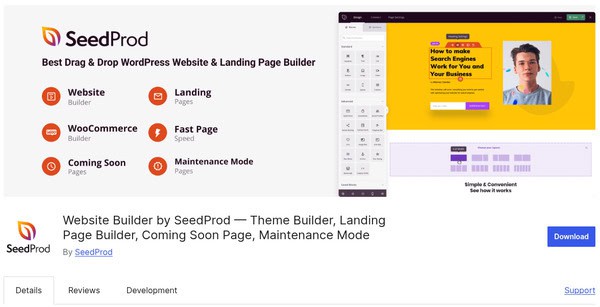
SeedProd is an effective and simple theme and landing page builder for WordPress. It has hundreds of templates for headers, footers, and special pages such as 404s or “coming soon” pages. It allows you to preview pages in real time, edit SEO elements such as heading tags, and build layouts so that your site performs better in searches. SeedProd includes a landing page builder, so you can reasonably use it to promote products or generate leads. SeedProd is an effective choice for beginners, marketers, and store owners who are looking to get results quickly.
Notable Features:
- Visual Drag and Drop Builder: With a real-time, drag and drop editor, you can create entire WordPress themes and landing pages.
- Pre-Made Templates: There are hundreds of pre-built templates for the headers, footers, homepages, coming soon pages, etc.
- In-built Landing Page Builder: With the builder, you can build sales pages, opt-in pages, maintenance pages, and product promotional pages that convert at a high level.
- Live Preview & Version Control: You can watch the changes you make live with SeedProd, and you can revert to the previous version of your theme.
- Personalized SEO Settings: You can customize your heading structure and meta components to improve search rankings.
Pros:
- Styling elements, such as fonts, colors, spacing, and more, are uniform across your website.
- You can amass 90+ content blocks that are customizable, like opt-in, timer, testimonials, and product grids.
- Builder has Mobile-friendly layouts with clean coding for performance and better user experience.
Cons:
- The free version of the theme builder has very limited features.
Pricing: SeedProd is available in a free version, and its premium version begins at $39 per year.
Wrapping Up!
In the end, choosing a great WordPress theme builder is about your needs and what’s important to you – design flexibility, performance, usability, or speed. And whether you are a developer or a shop owner, you should select the tool that best adheres to your needs as part of your process and your goals. The theme or template builder that is best for you will help you not only start building your site more quickly but also define the way you grow online.